
Audit log
Sensitive actions — pipeline changes, secret provider edits, key creation, policy updates — land in a queryable audit trail with actor and timestamp.
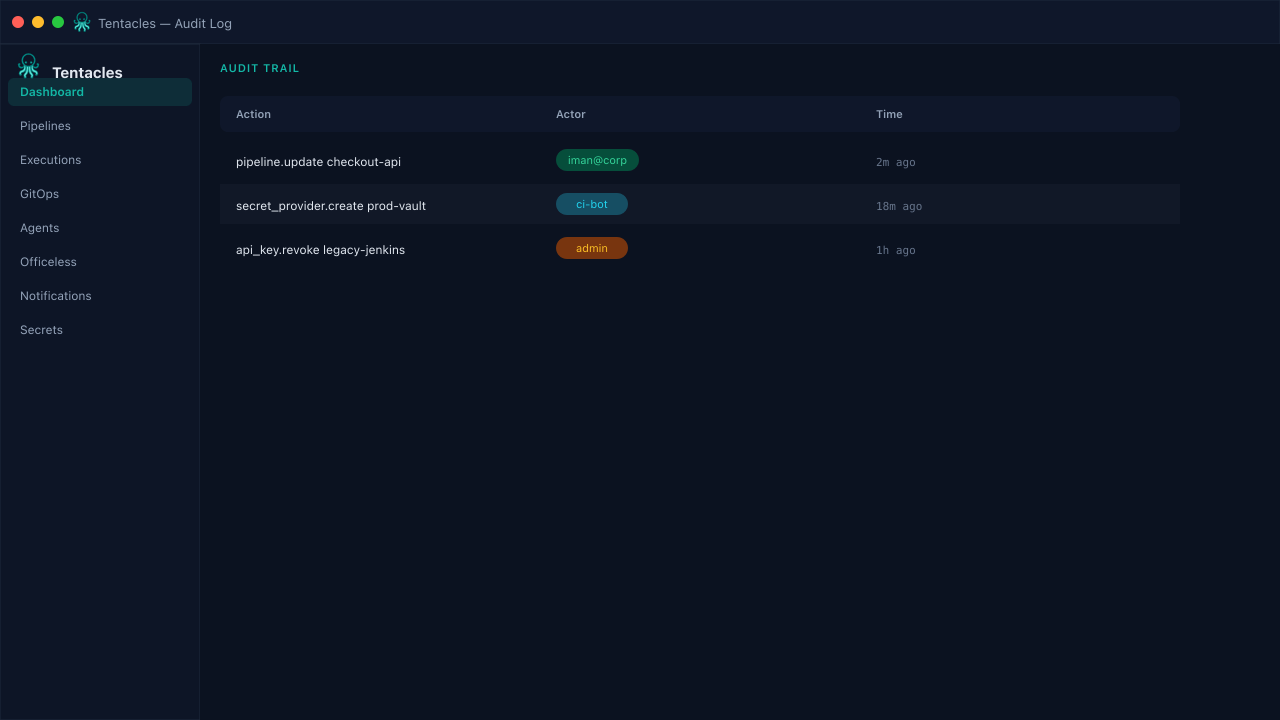
Illustrative preview of the audit log screen in Tentacles
Before you start
- At least one sensitive action has occurred in the org
Step by step
- 1
Open the Audit Log
Every row records when an action happened, what it was, which resource it touched, and who did it.
- 2
Investigate an incident
When a deploy looks unexpected, check audit first — a policy or secret provider edit is often the root cause, not the pipeline itself.
- 3
Correlate with executions
Cross-reference audit timestamps against Executions to see whether a config change lined up with a failed or unexpected run.
Tip: Audit entries are append-only — treat them as your source of truth during a postmortem.