
Officeless Visual Programming
Promote an Officeless Visual Programming app from Dev to PRD the same way you promote a container image — sync, select, deploy, with the gateway rewritten for the target environment.
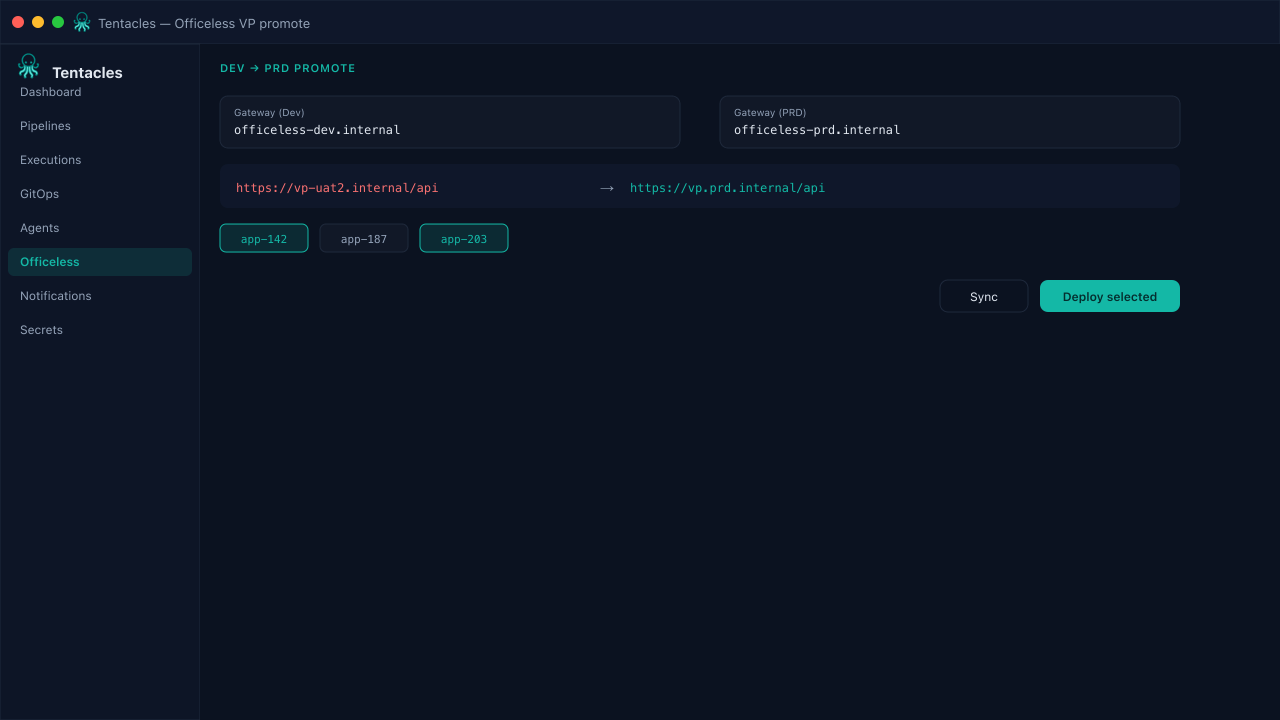
Illustrative preview of the officeless visual programming screen in Tentacles
Before you start
- Officeless VP Dev and PRD gateways reachable from the agent
- App ids known in the Dev workspace
Step by step
- 1
Configure the gateway
Point the pipeline at the Officeless VP Dev gateway and the PRD gateway — Tentacles resolves credentials per environment through a secret provider, never inline.
- 2
Sync from Dev
Trigger a sync to pull the current app graph and dependencies from the Dev gateway into the pipeline's working set.
- 3
Select the app ids to promote
Choose exactly which VP app ids move forward — partial promotions are supported, so a broken app doesn't block the rest.
- 4
Deploy with the -uat2 rewrite
On deploy, Tentacles rewrites internal host references (the -uat2 suffix) so the promoted app calls PRD services instead of Dev.
Tip: Run a dry apply first when promoting an app id for the first time — the rewrite step is easy to eyeball in the diff.