
Officeless Workflows
Officeless Workflow automations promote from Dev to PRD with dependency-aware sync, so a workflow doesn't go live missing the app or data source it depends on.
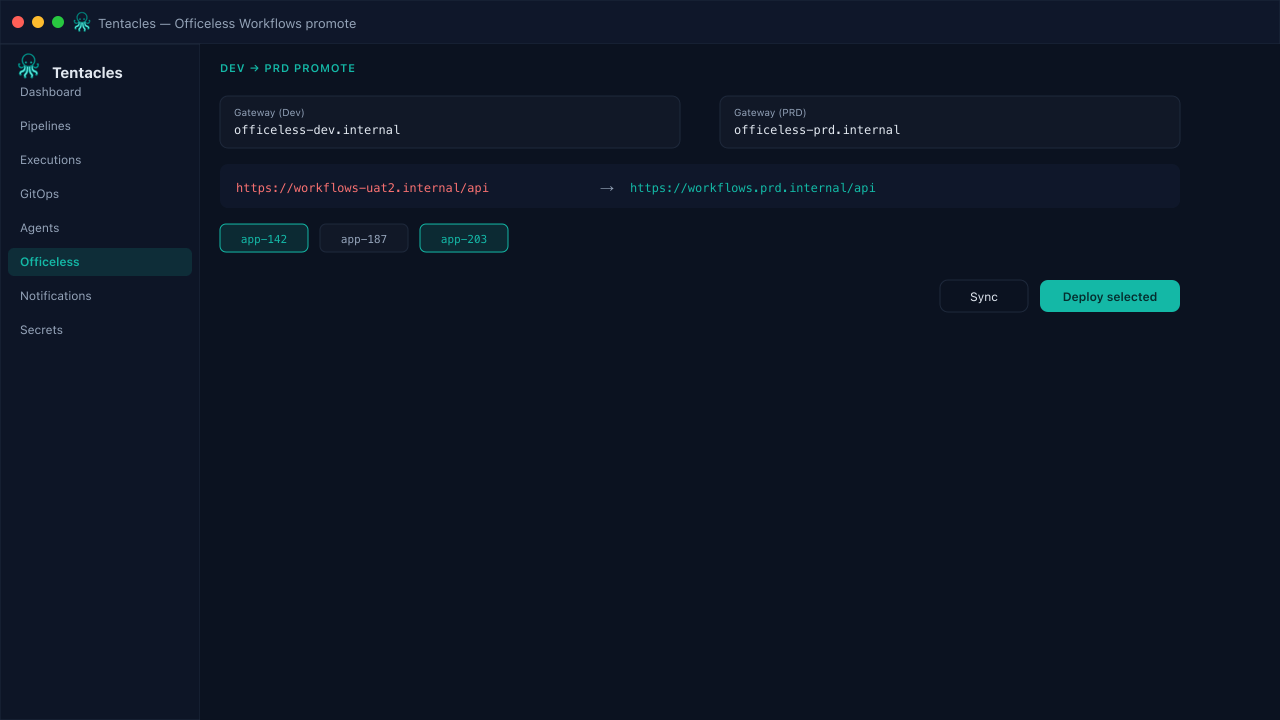
Illustrative preview of the officeless workflows screen in Tentacles
Before you start
- Officeless Workflows Dev and PRD gateways configured
- Dependent VP apps or Data Manager tables already promoted, or included in the same batch
Step by step
- 1
Configure the gateway pair
Set the Dev source gateway and PRD destination gateway for Workflows — the same pattern used for VP and Data Manager.
- 2
Sync and resolve dependencies
Sync pulls the workflow definition plus its declared dependencies, so Tentacles can flag a promotion that's missing a target-side app or table.
- 3
Select workflow ids to promote
Choose which automations move — batch multiple related workflows in one run when they must land together.
- 4
Deploy with the environment rewrite
Deploy applies the -uat2 host rewrite across every step reference so the promoted workflow's calls resolve inside PRD.
Tip: Check Executions right after deploy — a missing dependency usually surfaces as a first-run failure, not a policy block.